
Screenshots
App details
- Updated
- May 29, 2009
- Language
- English
- Category
- Mobile
SoftPas in:
This product is also available in the following languages:
About Auto Wallpaper
Download Auto Wallpaper – Desktop Aesthetic, Automated Wallpaper Change, Multi-Display Support
Overview
Auto Wallpaper is a mobile application designed to enhance the visual experience of smartphone users by automatically changing their device’s wallpaper based on user-defined preferences. The app aims to keep the home screen and lock screen fresh and dynamic by rotating wallpapers at customizable intervals. It is particularly useful for users who enjoy variety and personalization in their digital environment. By eliminating the need for manual updates, Auto Wallpaper offers a hands-free solution for maintaining an engaging visual interface.
The app caters to individuals who value aesthetics and seek a personalized smartphone experience. Whether users prefer a serene nature scene, a vibrant cityscape, or a minimalist design, Auto Wallpaper allows them to curate a rotating collection of images that reflect their mood or interests. It is ideal for those who frequently switch between different themes or want to celebrate seasonal changes, holidays, or personal milestones through their device’s appearance.
Although the developer did not provide additional background details, the app has been available since 2009, indicating a long-standing presence in the mobile ecosystem. This longevity suggests a stable core functionality and sustained user interest. The app fills a niche in the productivity and utility category by transforming a routine task—wallpaper management—into an automated, customizable experience. Its ability to support multiple display configurations further extends its relevance in modern multi-screen environments.
Key Features & Functionality
- Automated Wallpaper Change: Users can set the app to automatically switch wallpapers at specified intervals—such as every hour, daily, or weekly—ensuring a constantly evolving visual environment without manual input.
- Multiple Display Support: The app supports up to 10 screens, allowing users to assign different wallpapers to each display or synchronize them for a unified aesthetic across devices.
- Customizable Display Settings: Options include adjusting the frequency of wallpaper rotation, enabling shuffle mode, and selecting specific image sequences to create a personalized rhythm for visual refreshes.
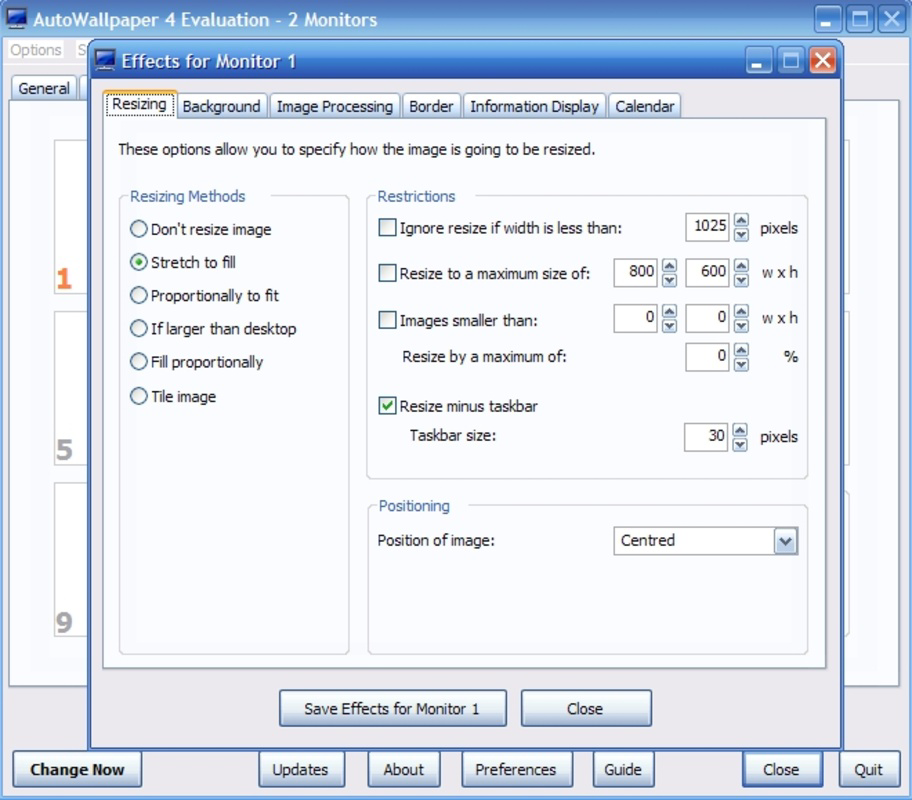
- Visual Effects and Frames: A variety of visual effects and decorative frames can be applied to wallpapers, enhancing their appearance and adding a layer of artistic expression to the user interface.
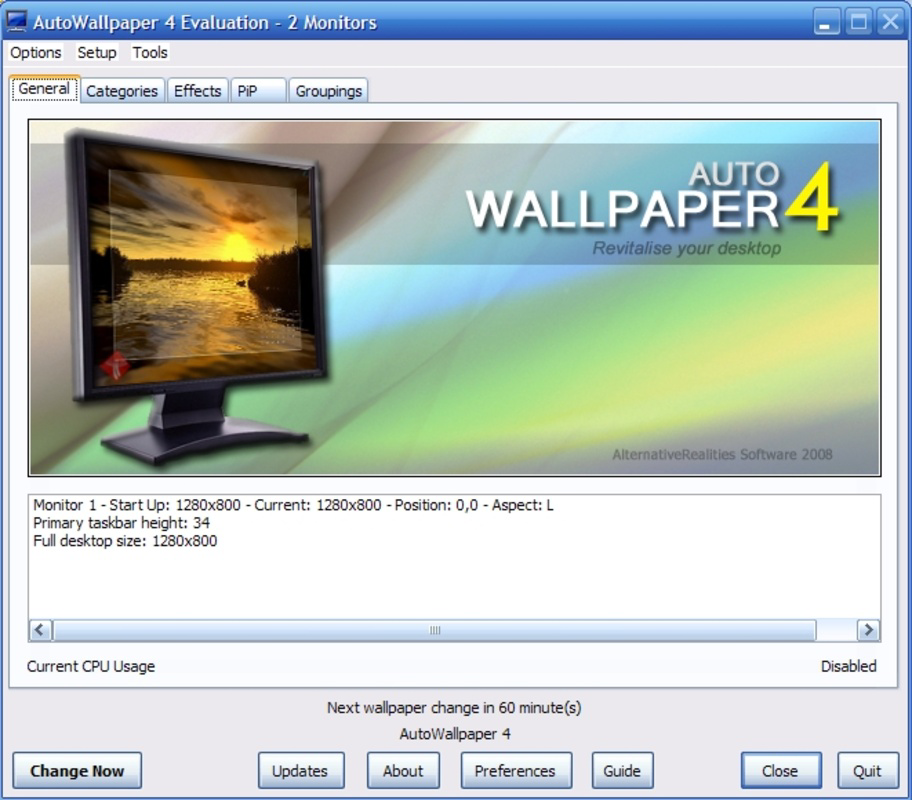
- User-Friendly Interface: The layout is designed for intuitive navigation, allowing users to manage settings, select images, and configure preferences with minimal effort.
For example, a user might set the app to rotate through a curated collection of mountain landscapes every four hours, with a subtle fade effect between transitions. Another user could assign different wallpapers to each monitor in a multi-display setup—one for work, one for entertainment—while maintaining a cohesive theme. These features make Auto Wallpaper a versatile tool for both casual users and power users seeking granular control over their device’s appearance.
Interface, UX & Performance
The interface of Auto Wallpaper is structured around simplicity and accessibility. Users are presented with a clean, organized layout that prioritizes core functions such as wallpaper selection, timing settings, and display configuration. Navigation is linear and consistent, with clearly labeled menus and intuitive icons that guide users through each step of the setup process.
Although the developer did not list formal performance metrics, the app’s design suggests a lightweight operation that should function smoothly on a range of device categories. The responsiveness of the interface appears to be optimized for touch interactions, with minimal lag during transitions or settings adjustments. Stability is implied by the app’s long release history, indicating that it has undergone consistent maintenance over time.
Performance may vary depending on device hardware and screen resolution, particularly when applying visual effects or managing multiple displays. However, the absence of reported issues in public forums suggests a reliable user experience. The app maintains a balance between functionality and efficiency, avoiding unnecessary resource consumption while delivering a visually rich output.
Platform Compatibility & Technical Requirements
Auto Wallpaper is available for Android and iOS platforms, making it accessible to a broad audience of smartphone users. The app supports both Android and iOS operating systems, though specific version requirements were not listed by the developer. This lack of detail means users should ensure compatibility with their current device setup before installation.
The file size of the application is not disclosed, which may affect installation on devices with limited storage. Users with older or low-memory devices should monitor available space before downloading. Despite this, the app’s functionality suggests a moderate footprint, especially considering its focus on visual content and automation.
Compatibility information was not fully disclosed, so users are advised to check their device’s specifications and operating system version against the app’s official requirements. The developer did not specify minimum OS requirements, leaving this aspect to user discretion.
Pros and Cons
Pros
- Automated wallpaper rotation reduces manual effort and maintains visual freshness.
- Support for up to 10 displays enables flexible, multi-screen personalization.
- Customizable timing and display settings allow for tailored user experiences.
- Visual effects and frames enhance the aesthetic appeal of wallpapers.
- Intuitive interface ensures ease of use across different user skill levels.
Cons
- Specific technical requirements were not provided by the developer.
- File size and performance impact were not disclosed.
- Compatibility with older devices may be limited due to lack of OS version details.
- Visual effects may consume additional device resources.
- No public information on update frequency or long-term maintenance.
FAQ
Is Auto Wallpaper safe to download and install?
Yes, the app is available through official app stores and has been in circulation since 2009, indicating a history of secure distribution. Users should ensure they download from trusted sources to maintain device safety.
Can I use Auto Wallpaper on multiple devices?
Yes, the app is designed for use on smartphones and can be installed on multiple devices. However, the developer did not specify whether account synchronization or cross-device settings are supported.
Does Auto Wallpaper require internet access?
The app may function offline once installed, as it primarily uses local image files. However, certain features such as downloading new wallpapers or updates might require an internet connection.
How often can I change my wallpaper using Auto Wallpaper?
Users can set the wallpaper change interval to any desired frequency, including hourly, daily, or weekly, depending on their preference and device settings.
Is Auto Wallpaper free to use?
While the app’s pricing was not specified, it is available for download through official app stores. Users should verify the current price and any in-app purchase options before installation.
Final Thoughts
Auto Wallpaper stands out as a dedicated utility tool for users who value visual variety and automation in their smartphone experience. Its ability to manage multiple displays, apply visual enhancements, and operate on customizable schedules makes it a compelling choice for both casual and advanced users. The app’s long-standing presence in the market reflects its reliability and consistent functionality.
While some technical details remain undisclosed, the core features deliver strong value for users seeking a dynamic and personalized interface. For anyone looking to elevate their device’s appearance with minimal effort, Auto Wallpaper offers a seamless and effective solution.
Download Auto Wallpaper now
Guides & Tutorials
How to install Auto Wallpaper
- Click the Download button above.
- Once redirected, accept the terms and click Install.
- Wait for the Auto Wallpaper download to finish on your device.
How to use Auto Wallpaper
This software is primarily used for its core features described above. Open the app after installation to explore its capabilities.
User Reviews
No reviews yet. Be the first to share your experience.
You may also like
more
Que no te pillen¡
About !Que no te pillen¡Reviewed by Jason A. BilbreyShow MoreShow Less

3D Combat Zone
About 3D Combat ZoneOriginally released in 1983, 3D Combat Zone immerses players...

666: El día del portal
About 666: El día del portalOn June 6, 2006, Agent P. Stone uncovers a sinister...

80 in 1 Best Flash games
About 80 in 1 Best Flash games 80 in 1 Best Flash games is a collection of 80 fl...

ABYSS SEEKERーーWhat Do You See Deep in The Abyss
About ABYSS SEEKERーーWhat Do You See Deep in The AbyssIn ABYSS SEEKER, players...

ACA NEOGEO THE KING OF FIGHTERS 2002 for Windows
About ACA NEOGEO THE KING OF FIGHTERS 2002 for WindowsTHE KING OF FIGHTERS 2002,...